
Food from a photo or voice
Snap your plate or say what you ate — the bot counts calories and macros and logs them. How it works: calories from a photo.
CalCash is a free AI helper in Telegram for food, money and tasks: it counts calories and macros from a photo, a voice note or text, tracks your spending and reminds you about plans. All in one chat.
Open in TelegramWhat CalCash does
Write to the bot in plain words, a photo or a voice note, and it sorts food, spending and tasks into place. All free.
Snap your plate or say what you ate — the bot counts calories and macros and logs them. How it works: calories from a photo.
Food, water, weight and money — one Telegram chat and a mini app with shared data.
Type “taxi 12” — the bot picks the category and counts what's left of today's budget. More on expense tracking in Telegram.
Pills on schedule, a bill on the right day — the bot messages you on time. Examples: reminder bot.
Your day, money, calendar and stats on screens — the same data as the bot.
A day in the life
From breakfast to bedtime, the bot takes care of the routine. Tap a moment to see how it looks in the app.
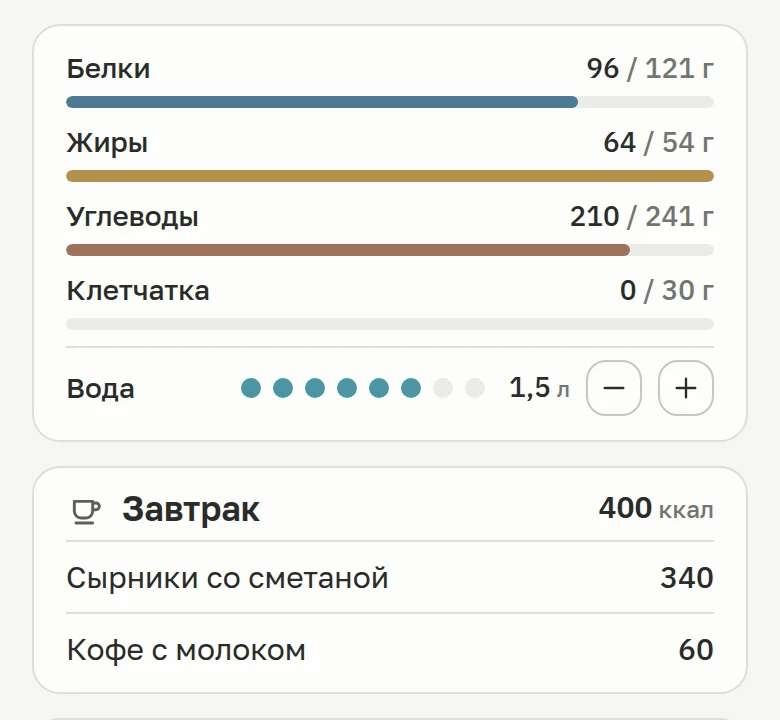
 08:15 · Breakfast
The bot estimates the dish and the portion from the photo and adds it to your diary. It is an estimate, not a scale: add the weight and it gets more accurate.
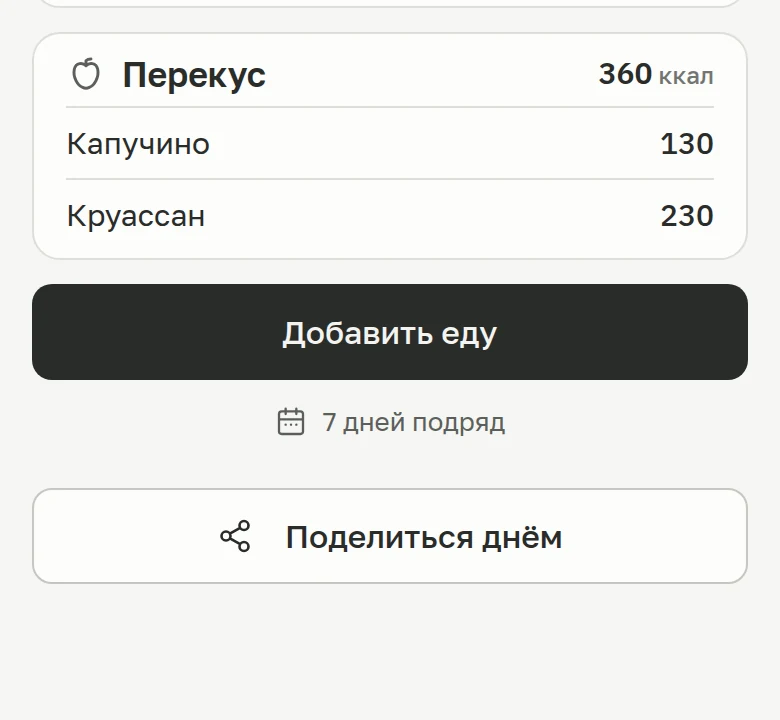
 11:30 · Voice on the go
A voice note turns into text. The bot shows what it heard and logs the food or the expense — or both in one message.
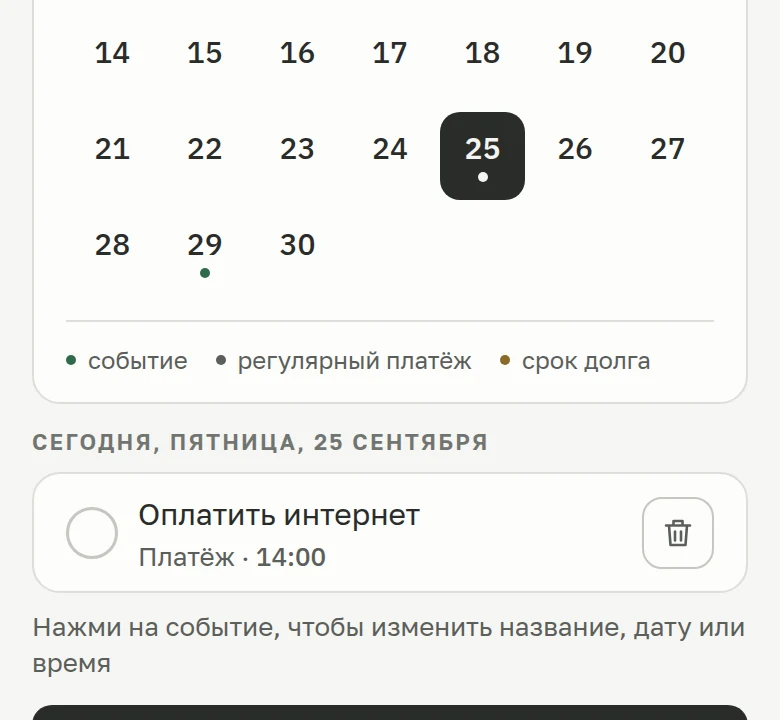
 14:00 · Reminder
A one-off reminder for a date and time, or a daily one at the hours you pick. The bot messages you, and the entry shows up in the mini app calendar.
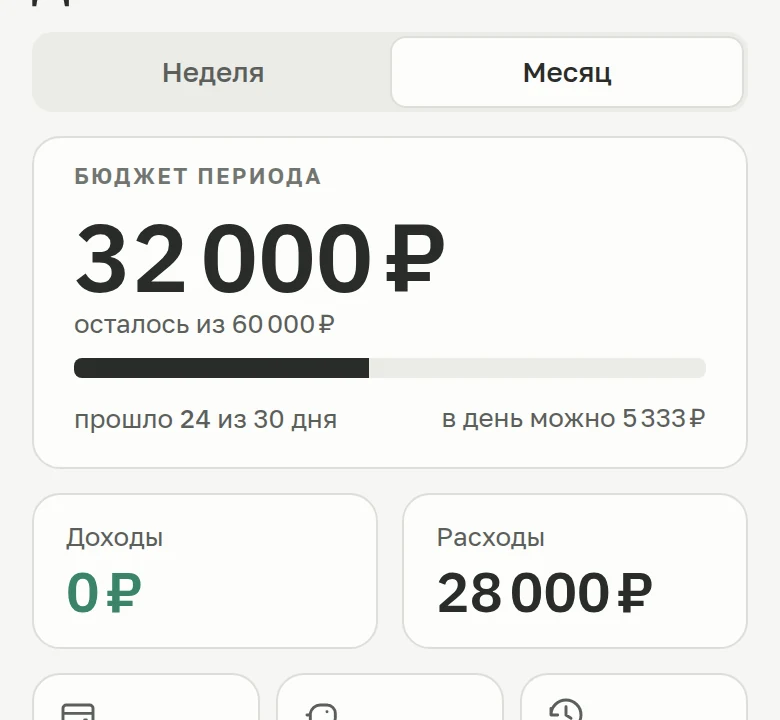
 17:45 · Money
Expenses, income and a period budget in one chat. After every expense you see what is left and how much you can spend per day.
 20:10 · Dinner
Write it like you'd text a friend. The bot works out the dish and the weight, counts the calories and shows what is left of your target.
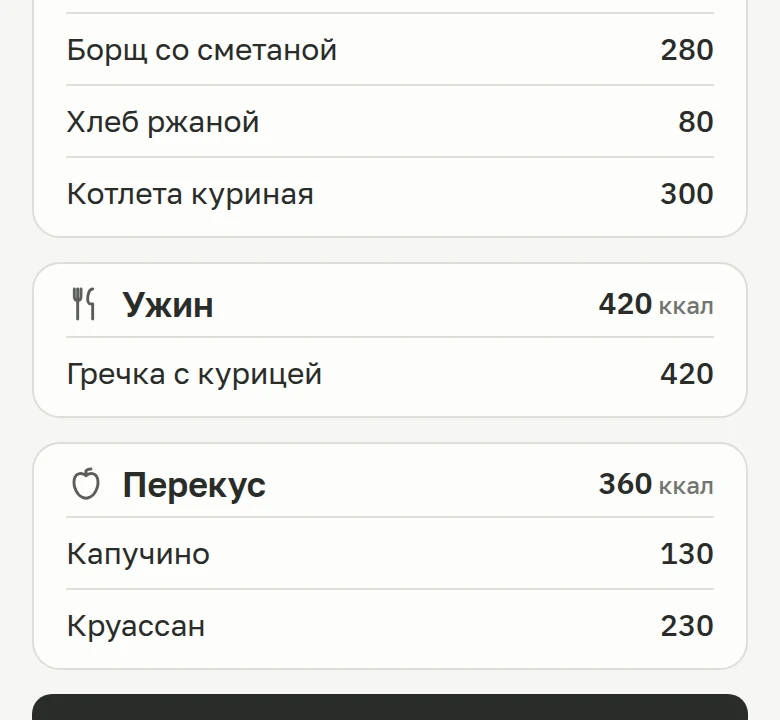
 22:30 · Wrap-up
The day's totals are one tap away — the Today button in the bot's stats or the Today tab in the mini app: calories and macros, spending, water.
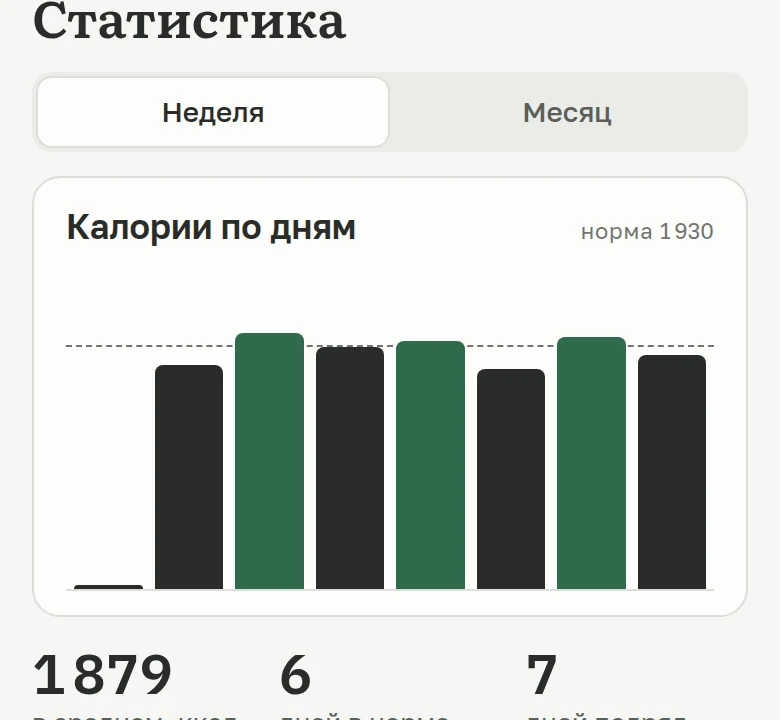
How it works
Nothing to install or set up: open the bot in Telegram, answer a couple of questions and go.
Tap “Open in Telegram” and answer a couple of questions — the bot works out your calorie target.
Open the bot
02
A photo of your plate, a voice note or text — whatever is easiest. The bot works out the food and expenses and logs them.
See how it looksWhat is left of your target and budget after every entry, plus daily, weekly and monthly stats — in the chat and in the mini app.
What CalCash doesNo paid features and no message limit. There is only spam protection.
Free calculators
Published formulas, no signup. Start with your daily calories, then work out a calorie deficit, your macros and protein. All 14, each with a line on what it works out, are on the calorie and nutrition calculators page, and the bot then keeps track of your target every day.
 Calorie calculator
Daily calorie target for your goal
Calculate
Calorie calculator
Daily calorie target for your goal
Calculate
 Macro calculator
Calories split into protein, fat and carbs
Calculate
Macro calculator
Calories split into protein, fat and carbs
Calculate
 TDEE calculator
Total energy you burn in a day
Calculate
TDEE calculator
Total energy you burn in a day
Calculate
 BMR calculator
Basal metabolic rate — energy used at rest
Calculate
BMR calculator
Basal metabolic rate — energy used at rest
Calculate
 Calorie deficit calculator
Calories to lose weight at your chosen pace
Calculate
Calorie deficit calculator
Calories to lose weight at your chosen pace
Calculate
 Protein calculator
Daily protein in grams for your goal
Calculate
BMI calculator
Your BMI and a healthy weight for your height
Calculate
Walking calorie calculator
Calories a walk burns on top of rest
Calculate
Calorie surplus calculator
Calories and macros to gain weight
Calculate
Water intake calculator
Works out how much water to drink a day
Calculate
Ideal weight calculator
Shows a healthy weight for your height
Calculate
Body fat calculator
Estimates body fat from tape measurements
Calculate
Weight loss calculator
Shows the date you reach your goal weight
Calculate
Recipe calorie calculator
Counts calories and macros of a homemade dish
Calculate
Protein calculator
Daily protein in grams for your goal
Calculate
BMI calculator
Your BMI and a healthy weight for your height
Calculate
Walking calorie calculator
Calories a walk burns on top of rest
Calculate
Calorie surplus calculator
Calories and macros to gain weight
Calculate
Water intake calculator
Works out how much water to drink a day
Calculate
Ideal weight calculator
Shows a healthy weight for your height
Calculate
Body fat calculator
Estimates body fat from tape measurements
Calculate
Weight loss calculator
Shows the date you reach your goal weight
Calculate
Recipe calorie calculator
Counts calories and macros of a homemade dish
Calculate
Didn't find an answer? Tap «Support» in the bot or write to [email protected].
CalCash is a Telegram bot with a mini app. Send text, a voice note or a food photo — the bot counts calories and macros and logs your expenses. Plus a budget, savings, debts, a calendar and reminders.
Yes. When you start, tell it about yourself in a normal sentence: sex, age, height, weight, activity and goal — lose weight, maintain or gain. The bot calculates your calories and macros with the Mifflin-St Jeor equation, and if the goal is weight loss, it asks how fast you want to go. Change your weight or goal later and the target is recalculated.
You don't search a catalogue for every food or pick grams by hand: type, talk or snap a photo, and the bot splits the meal into foods itself. It all lives in Telegram, which you already have open. The honest downside: a photo or a description gives an estimate, not a scale reading, so add the grams when precision matters.
Protein, fat, carbs and fiber for every meal, plus water, weight and activity. Separately, money: spending, income, budget, accounts, debts and savings. Daily, weekly and monthly totals are in the chat and in the mini app.
A model recognizes the dish and estimates the portion, and the bot checks the nutrition values against USDA FoodData Central and Open Food Facts. It is an estimate, not a scale: add the weight and the result gets more accurate.
Nothing. There are no subscriptions, paid features or message limits — only spam protection: up to 30 messages a minute and 200 an hour.
Data is stored in the service's cloud database and linked to your Telegram account. The text of the chat log is encrypted with AES-256-GCM; other records are stored without separate encryption. We do not sell or share data with ad networks.
To delete your entries and settings, use the /restart command in the bot and confirm twice; an archive copy is kept before deletion. To export, use the CSV export button in the bot's stats or the Export section of the mini app.
The interface is in English or Russian. The bot understands dish names in other languages too.
No. CalCash opens inside Telegram — as a regular chat and as a mini app, and they share the same data.
Free and nothing to install. One chat for food, water, weight and money.
Open in Telegram



 Reminders
 Water and weight